
Download AIRunner – AI Art Generator, Stable Diffusion, Free Trial
Overview
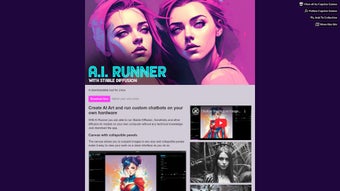
AIRunner is a cutting‑edge, web‑based AI art generation platform that brings the full power of Stable Diffusion, Kandinsky, and custom Diffusers models directly to your own computer. Unlike many cloud‑only services, AIRunner runs locally, which means every pixel you create stays on your hard drive unless you decide to share it. The software’s core revolves around a highly flexible prompt engine that supports weighted keywords, negative prompts, and multi‑model switching, allowing beginners to start with simple text inputs while giving seasoned creators the granular control needed for professional work.
The interface is designed for speed and clarity: a clean canvas, real‑time preview, and an intuitive toolbar let you adjust resolution, aspect ratio, and style on the fly. One of the standout innovations is the infinite‑scrolling canvas, a feature that removes the traditional “fixed‑size” limitation and enables you to build sprawling cityscapes, intricate patterns, or massive concept boards without stitching multiple images together later. Batch generation and interpolation tools let you explore entire families of variations, making it perfect for game asset pipelines, marketing campaigns, or iterative design processes.
Regular automatic updates deliver the latest model checkpoints, performance optimizations, and UI refinements, ensuring that AIRunner stays in step with the rapid advancements in AI art research. While the base version is free to try, a subscription unlocks premium capabilities such as GPU acceleration, higher‑resolution outputs up to 8K, and priority technical support. In short, AIRunner offers a secure, fast, and feature‑rich environment for anyone eager to tap into AI‑driven creativity, from hobbyists sketching a quick concept to professionals delivering commercial‑grade artwork.
Key Features
- Support for Stable Diffusion, Kandinsky, and custom Diffusers models.
- Weighted prompt syntax and negative prompting for precise artistic control.
- Infinite scrolling canvas for ultra‑large compositions.
- Batch image generation with fully customizable batch size and scheduling.
- Image interpolation engine for smooth transitions between concepts.
- GPU acceleration with automatic fallback to CPU for broader hardware compatibility.
- Integrated drawing pad that converts hand‑drawn sketches into AI‑enhanced images.
- Metadata editing tools for EXIF, tags, and model version tracking.
- Grid size adjustment and multi‑image tiling for complex pattern creation.
- Automatic model updates and UI improvements delivered via seamless updates.
Each feature is crafted to streamline the creative workflow. The weighted prompt system, for example, lets you assign importance values to individual concepts, so you can emphasize a specific style while suppressing unwanted elements in a single pass. The infinite canvas eliminates the need to pre‑define dimensions, enabling artists to expand their work organically as ideas evolve.
Batch generation is a game‑changer for studios that need dozens or hundreds of variants—simply queue your prompts, set resolution limits, and let AIRunner render overnight. The interpolation engine works by generating intermediate frames between two seed images, producing fluid morphs ideal for animation loops or exploratory design studies. GPU acceleration dramatically cuts render times; on an RTX 3060 you can expect a 512×512 image in under five seconds, whereas CPU‑only rendering of the same size may take a minute or more.
For artists who prefer a hybrid approach, the drawing pad provides a vector‑like sketch area where basic shapes are quickly turned into richly textured AI images based on textual cues. Finally, the built‑in metadata editor ensures that every asset you create carries comprehensive provenance information, making asset management and version control painless. Together, these capabilities make AIRunner not just a tool, but a comprehensive creative studio that bridges traditional illustration techniques with the latest AI breakthroughs.
Installation, Setup & Compatibility
Getting started with AIRunner is intentionally straightforward. Because the application runs as a local web‑server, the first step is downloading a lightweight installer from the official website. The installer guides you through selecting an installation directory, choosing whether to enable automatic updates, and configuring essential dependencies. During this process, the installer detects your hardware and automatically installs the appropriate CUDA toolkit for NVIDIA GPUs or the OpenCL drivers for AMD cards. If no compatible GPU is detected, the installer configures a streamlined CPU‑only environment that still delivers functional performance, albeit at a slower pace.
After installation, launch AIRunner and open your preferred modern browser—Chrome, Edge, Firefox, or Safari. The application serves its UI at http://localhost:8080, where an onboarding wizard walks you through selecting a default model (Stable Diffusion 2.1, Kandinsky 2.0, or a custom model you have imported), setting default image dimensions, and configuring security preferences such as local‑only access or password protection. Because all processing occurs on your machine, your artwork never leaves your device unless you explicitly export or share it, giving you peace of mind regarding privacy and data ownership.
AIRunner is compatible with Windows 10/11 (64‑bit), macOS 12 Monterey and later, and major Linux distributions including Ubuntu 20.04+, Fedora 34+, and Arch Linux. The web‑based front‑end also works on tablets and smartphones running iOS 14+ or Android 10+, though full GPU acceleration is limited to desktop environments. System requirements recommend at least 8 GB of RAM and a GPU with 4 GB VRAM for optimal performance; however, the software will still function on lower‑end hardware with reduced resolution and longer rendering times. Once the initial setup is complete, creating a new project is as simple as clicking “New Canvas,” typing or speaking your prompt, and hitting “Generate.” The UI provides real‑time feedback on GPU usage, estimated time to completion, and allows you to pause or cancel renders at any point. Update notifications appear in the top‑right corner, and you can enable one‑click automatic installation to stay on the latest stable release without manual intervention.
Pros, Cons & Frequently Asked Questions
Pros
- Runs locally, preserving privacy and eliminating bandwidth limits.
- GPU acceleration delivers near‑instant rendering on compatible hardware.
- Rich feature set—including infinite canvas, batch generation, and interpolation.
- Supports multiple AI models, giving artists flexibility in style and output.
- Regular updates keep the software aligned with the latest AI research.
- Intuitive UI that works across Windows, macOS, Linux, and mobile browsers.
- Extensible architecture that accepts custom Diffusers and SafeTensor models.
Cons
- Subscription cost may be a barrier for hobbyists on a tight budget.
- Initial model download can be several gigabytes, requiring ample disk space.
- CPU‑only mode is significantly slower for high‑resolution renders.
- Advanced features (e.g., GPU fine‑tuning) may have a learning curve for beginners.
- Web‑based UI depends on a stable local server; occasional port conflicts can occur.
- Mobile GPU acceleration is limited, reducing performance on tablets and phones.
FAQ
Can I use AIRunner on a laptop without a dedicated GPU?
Yes. AIRunner falls back to CPU rendering when no compatible GPU is detected. Rendering will be slower, especially for high‑resolution images, but the software remains fully functional.
Is my artwork stored locally or in the cloud?
All generated images are saved on your local machine by default. AIRunner does not upload any data to external servers unless you explicitly choose to share or back up your work.
What subscription plans are available?
AIRunner offers a monthly plan at $14.99 and an annual plan at $149.99 (two months free). Both plans include unlimited GPU usage, priority updates, and access to premium models.
Can I import my own custom model?
Absolutely. AIRunner supports custom Diffusers and SafeTensor models. You can add them via the Settings → Model Management panel, then select them for any project.
How often are updates released?
The development team releases major updates roughly every 6‑8 weeks, with minor patches and bug fixes rolled out weekly. Update notifications appear inside the app, and you can enable automatic installation.
Overall, AIRunner delivers a powerful, secure, and feature‑rich environment for AI‑driven creativity. Its local‑first architecture, combined with GPU acceleration and a thoughtful UI, makes it a top choice for both hobbyists and professional artists.
Ready to unleash your imagination? Download AIRunner today and start generating stunning AI artwork in minutes.
Conclusion & Call to Action
In today’s rapidly evolving digital art landscape, having a tool that balances accessibility, performance, and creative depth is essential. AIRunner achieves this balance by delivering a locally hosted, privacy‑first solution that does not compromise on speed or feature set. Whether you are a freelance illustrator needing quick concept sketches, a game developer generating asset libraries, or an educator introducing AI art concepts to students, AIRunner’s flexible prompt engine, infinite canvas, and batch processing capabilities streamline the entire workflow. The inclusion of GPU acceleration ensures that high‑resolution, production‑grade images are rendered in seconds rather than minutes, while the fallback CPU mode guarantees that users with older hardware are not left behind. Moreover, the regular cadence of updates means you stay on the cutting edge without having to manually chase down new model checkpoints or patches.
While the subscription pricing may deter some casual users, the value delivered—especially for professionals who rely on fast turn‑around times and premium output quality—justifies the investment. The ability to run entirely offline also addresses growing concerns around data security and intellectual property, making AIRunner a trustworthy partner for commercial projects. With its robust feature list, cross‑platform compatibility, and supportive community, AIRunner stands out as one of the most comprehensive AI art generators available in 2025.
If you’re ready to transform your creative process and explore the limitless possibilities of AI‑augmented art, there’s no better time than now. Click the link below, install the lightweight installer, and experience the power of local AI rendering for yourself. Join the growing community of artists who are already leveraging AIRunner to push the boundaries of visual storytelling.
Download AIRunner today and start turning your imagination into high‑quality AI artwork instantly.



.png)



